Obsidian Plugin: Render code block of markmap to embedded mind map in preview mode.
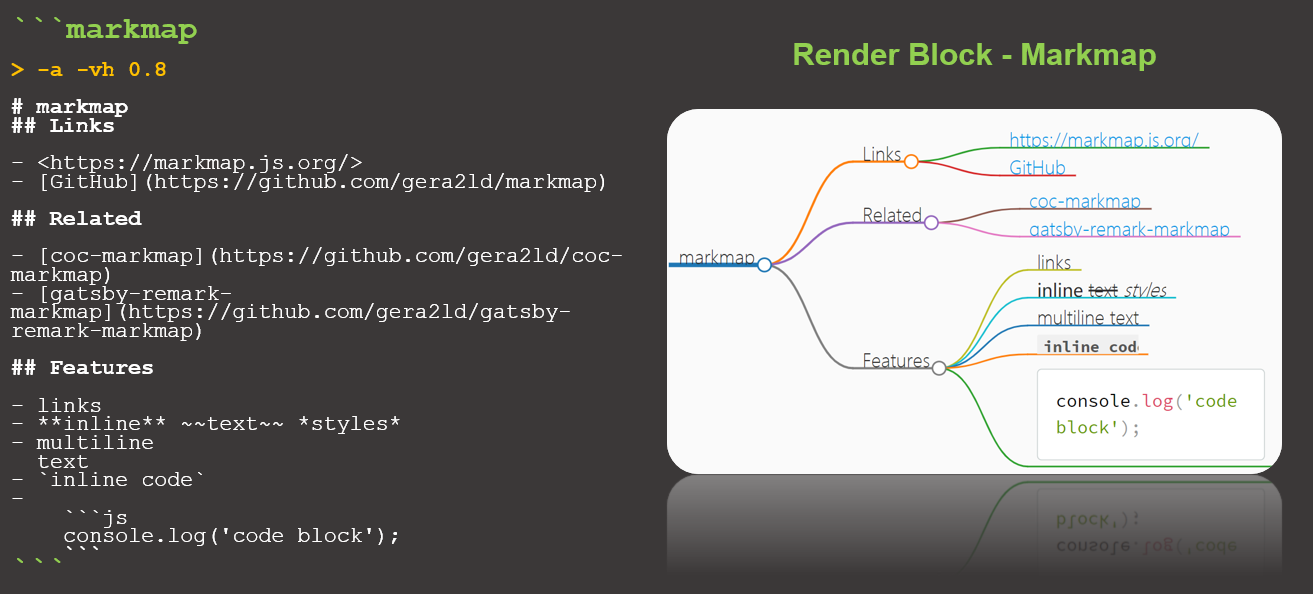
- preview the code block of markmap as mind map
- embedded mind map in current note
- support link to internal md file (markdown style)
- inline options for autofit, map height and more
NOTICE
The plugin is different from the similar plugin Obsidian Mind Map which shows the entire note as mind map in a separated view and has more features. This plugin uses code block of markmap and embeds the mind map in the note file preview. Personally, I like the embedded mode, so I released the plugin for whom also prefers the mode too.
If the first line in the code block starts with > , the first line will be used for mind map options. Currently, it supports the following options:
-a: use this option to autofit the mind map when any node changes.-vh 0.8: adjust the view height of mind map in preview mode. The default is 1.0.
In the future there will be more options.
- support link to internal md file (0.1.4)
- add option
-vh(0.1.3) - Initial release (0.1.0)
- Add more inline options
- Support wiki style link
- Adjust color and position for slides view
- Manually installing: go to the GitHub release page, copy over
main.js,styles.css,manifest.jsonto your vaultVaultFolder/.obsidian/plugins/render-block-markmap/. Then enable it in the Obsidian's Community Plugin settings page.
- Clone this repo.
npm ioryarnto install dependenciesnpm run devto start compilation in watch mode.


