| title | miaoCut |
|---|---|
| sdk | docker |
| app_port | 7860 |
👉 Try it live (no signup): miaocut.app




English · 简体中文
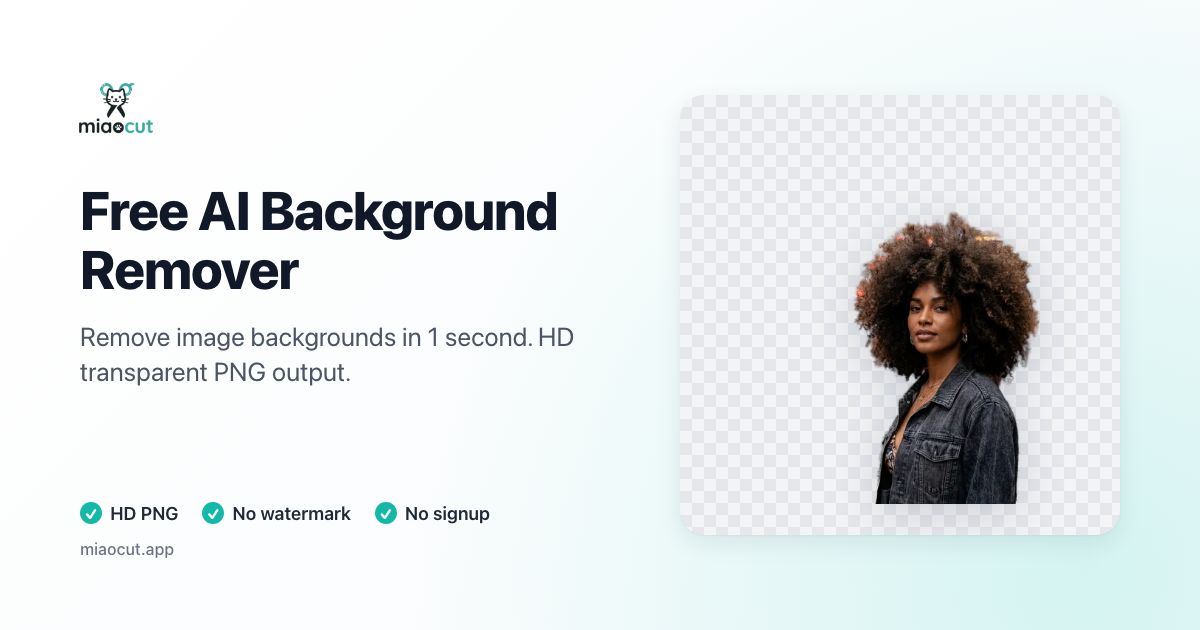
MiaoCut is a free, no-signup online AI image toolkit. Its core feature is one-click background removal — upload any photo and an AI segmentation model (BiRefNet) erases the background in about a second and returns a transparent PNG. It also ships a small family of related tools: ID photo maker, watermark remover, old-photo restoration, and format converters.
🔗 Use it right now in your browser → https://miaocut.app — no account, no credit card, no watermark.
- 🚀 Instant — cutouts in ~1 second, no waiting room.
- 🎨 Full quality — exports a transparent PNG at the original resolution, no watermark.
- 🔒 Privacy-first — images are processed in memory and discarded immediately; nothing is stored, nothing is used to train AI.
- 🆓 Completely free — no hidden fees, no subscription traps, no signup.
- 🌍 Works anywhere — runs in any browser, on desktop or mobile.
Every tool runs free in the browser at miaocut.app:
| Tool | Link | What it does |
|---|---|---|
| AI Background Remover | miaocut.app | One-click background removal. Two modes: Sharp (fast, hard edges) and Fur (fine hair / fur / soft edges). |
| Product Photo Background Remover | /product-photo-background-remover/ | Clean white-background and square-canvas product shots for e-commerce. |
| Portrait Background Remover | /portrait-background-remover/ | Headshots, profile pictures, and social media cutouts. |
| ID / Passport Photo Maker | /id-photo-maker/ | Auto cutout + background color swap + print layout for common ID photo specs. |
| Watermark Remover | /watermark-remover/ | Brush over a watermark and let AI inpaint it away (LaMa). |
| Old Photo Restoration | /old-photo-restoration/ | Repair fading, reduce noise, and enhance detail in old photos. |
| JPG → Transparent PNG | /jpg-to-transparent-png/ | Turn a JPG into a true transparent PNG with a real alpha channel. |
| PNG → JPG (white background) | /png-to-jpg-white-background/ | Flatten a transparent PNG onto white (or any color) and export as JPG. |
📚 Guides: step-by-step tutorials on how to remove a background in PowerPoint, GIMP, and more.
The background-removal pipeline picks one of two profiles per request:
sharp(default, ~1s) — BiRefNet produces the mask, followed by gentle gamma correction and 1px anti-aliasing. Best for people, products, and logos with hard edges.fur(~3–5s) — adds alpha matting (closed-form solve on the trimap's unknown band) plus foreground-color estimation to remove background-color contamination on semi-transparent pixels. Best for white cats, curly hair, feathers, and other soft edges.
┌─────────────────────────────────┐      ┌────────────────────────────────────┐
│      Frontend (static)          │      │       Backend (API)                │
│  HTML + Tailwind CSS + vanilla  │ ───▶ │  FastAPI + BiRefNet (rembg)         │
│  JS, deployed on Cloudflare     │      │  on Hugging Face Docker Spaces ×3   │
│  Pages                          │      │  (miao_cut / miao_cut2 / miao_cut3) │
└─────────────────────────────────┘      └────────────────────────────────────┘
- Frontend — single-file SPA (
index.html+ compiledoutput.css), built-in EN/ZH i18n, client-side image compression, XHR upload with real progress. Served by Cloudflare Pages. - Backend — FastAPI (single worker). AI models: BiRefNet-General-Lite (INT8 quantized) via rembg for cutouts, MediaPipe Face Mesh for ID-photo cropping, LaMa inpainting for watermark removal. Rate limiting (SlowAPI) and concurrency control live in process memory — no Redis or external state.
Requirements: Python 3.11+ (backend), Node.js 18+ (frontend build only).
pip install -r requirements.txt

# Start the dev server. ⚠️ Use `python main.py`, NOT `uvicorn main:app`
# (the string form re-imports main.py and loads BiRefNet twice).
python main.py
# First run downloads the model weights to .u2net/. Serves on http://127.0.0.1:8000
Don't pass
--reload(onnxruntime's thread pool deadlocks after fork) or--workers 2+(rate-limit and concurrency budgets live in process memory).
npm install
npm run build        # builds output.css + generates localized pages + sitemap
npm run watch:css    # watch mode while editing HTML
After changing any class in an HTML file, re-run
npm run build:cssand commit the updatedoutput.css— production serves it as-is.
docker build -t miaocut-api .
docker run --rm -p 7860:7860 -e PORT=7860 -e MAX_CONCURRENCY=1 -v miaocut-data:/data miaocut-api| Variable | Default | Description |
|---|---|---|
PORT |
8000 |
Port to listen on |
TRUST_PROXY |
0 |
Set 1 to read the real client IP from X-Forwarded-For |
ALLOWED_ORIGINS |
empty (skips check) | Comma-separated allowed frontend origins |
MAX_CONCURRENCY |
1 |
Max concurrent inferences (key knob against OOM) |
CUTOUT_PROFILE |
sharp |
Default cutout profile (sharp / fur) |
DATA_DIR |
. |
Directory for persisted feedback data |
ENABLE_DOCS |
1 |
Set 0 to disable the /docs endpoint |
- Images are processed purely in memory and destroyed immediately after.
- No uploaded image is stored.
- User data is never used to train AI models.
- Origin verification + per-IP rate limiting guard against abuse.
Issues and pull requests are welcome. If MiaoCut is useful to you, a ⭐ on GitHub and a link back to miaocut.app are hugely appreciated — they help more people find a free, privacy-respecting background remover.
Released under the MIT License. You're free to use, modify, and self-host it. Attribution back to miaocut.app is appreciated but not required.
miaocut.app · Free AI image tools that respect your privacy
Made with ❤️ by midcodehub