





Full documentation is at bootstack.org.
bootstack gives engineers, data scientists, and hobbyists everything to build a polished desktop interface and package it into a standalone executable — declarative, reactive, and batteries-included, all in pure Python.
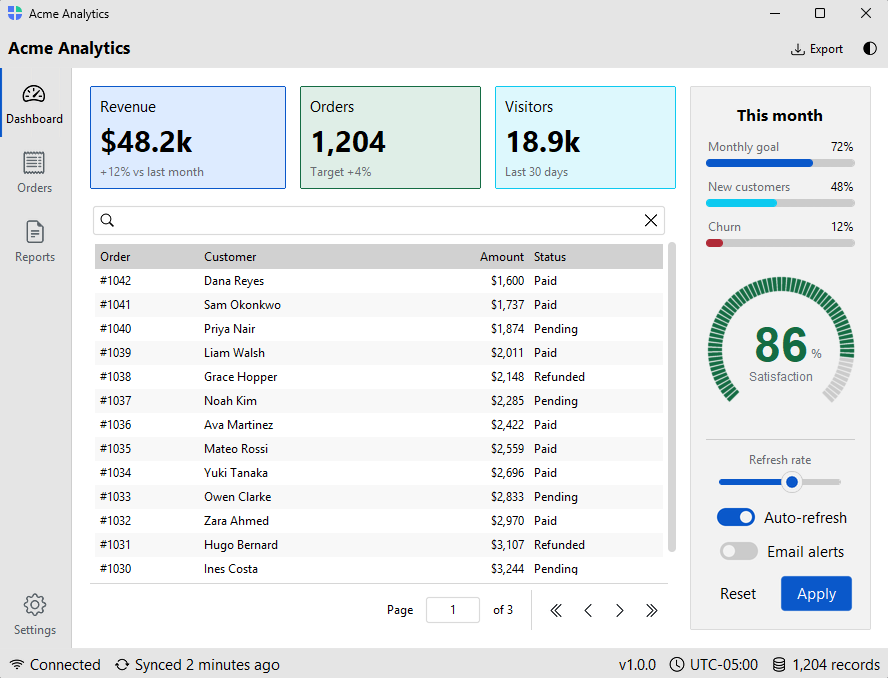
Most Python desktop frameworks make you fight the framework. bootstack gets out of the way.
- 30% less code — the declarative, context-manager layout eliminates geometry calls, explicit parenting, and most of the wiring boilerplate
- Reads like Python — nested
withblocks mirror your UI structure; the code hierarchy is the layout - Modern layout system —
Row,Column, andGridcontainers handle spacing, alignment, and growth automatically; a screen-axis vocabulary (gap,padding,margin,horizontal,vertical,grow) without writing CSS - 60+ widgets out of the box — primitives through full composites: tables, trees, calendars, date pickers, gauges, sliders, and more — including a full
CodeEditorwith syntax highlighting, line numbers, bracket matching, smart indent, and search; no external editor dependency required - Reactive signals — observable state that flows between widgets; bind once, update everywhere
- Event and stream pipelines — compose, filter, debounce, and throttle UI events with a chainable stream API
- Built-in icons — the full Bootstrap Icons catalog, theme-aware and recolorable, bundled with the framework
- Built-in localization — 23 language catalogs, locale-aware number/date/time formatting, runtime language switching
- Semantic styling —
accent="primary",variant="outline"— no hard-coded colors; looks right across every theme automatically - 10 paired light/dark themes — popular dev color schemes plus Bootstrap, with a runtime switcher and a custom-theme API
- Forms and validation — field-level validators, inline error messages, and a
FormDialogfor quick modal forms - DataSource abstraction — one interface over SQLite, in-memory, and file backends with filtering, sorting, pagination, and CRUD
- Data visualization — embed
matplotlib(andseaborn) figures withChart; they recolor with the theme and live-update from aSignalorDataSource(optionalvizextra) - A real CLI — scaffold, run, add pages/views/dialogs/themes, and package for distribution
- Hot reload —
bootstack dev app.pyupdates the running app on save and keeps your place; module-level state and the active page survive the reload - PyInstaller packaging built in —
bootstack buildproduces a standalone executable; no separate toolchain required
Edit and save — the running window updates in place. bootstack dev app.py
reloads the UI on every save while keeping your window position, module-level
state, and active page, so you never lose your spot.
Requires Python 3.12+ and Tk/Tcl (bundled with most Python distributions). Install with pip:
python -m pip install bootstackSee the installation guide for platform-specific Tk setup and the optional data-format extras.
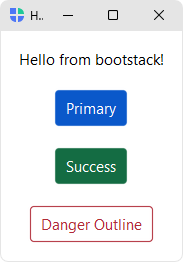
The widget gallery is a single-window tour of everything bootstack ships — every widget, theme switcher, accent variants, and layout containers. Fastest way to see the framework in action without writing a line of code:
bootstack gallery
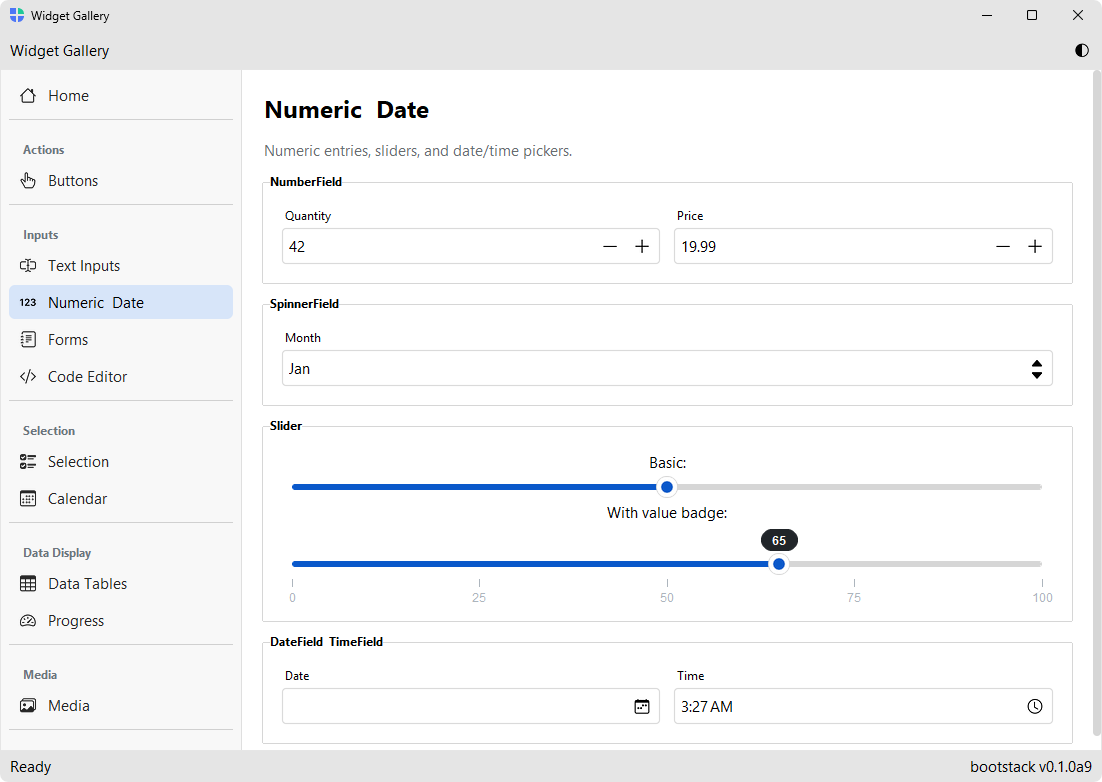
import bootstack as bs

with bs.App(title="Hello", padding=16, gap=16) as app:
    bs.Label("Hello from bootstack!")
    bs.Button("Primary", accent="primary")
    bs.Button("Success", accent="success")
    bs.Button("Danger Outline", accent="danger", variant="outline")

app.run()
For navigation-based apps, use AppShell — it gives you stacked toolbars, a sidebar, and a page stack in one call:
import bootstack as bs

shell = bs.AppShell(title="My App", size=(1000, 650))

with shell.page_nav() as nav:
    with nav.add_page("home", text="Home", icon="house"):
        bs.Label("Welcome!")
    with nav.add_page("docs", text="Documents", icon="file-earmark-text"):
        bs.Label("Your documents.")

shell.run()Column, Row, and Grid let you describe a layout once instead of repeating geometry calls on each child:
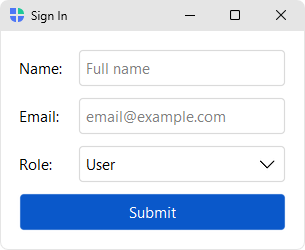
with bs.App(title="Sign In") as app:
    with bs.Grid(columns=["auto", 1], gap=(12, 6), horizontal_items="stretch", padding=16):
        bs.Label("Name:")
        bs.TextField(placeholder="Full name")
        bs.Label("Email:")
        bs.TextField(placeholder="email@example.com")
        bs.Label("Role:")
        bs.Select(options=["Admin", "User", "Viewer"], value="User")
        bs.Button("Submit", accent="primary", columnspan=2)

app.run()
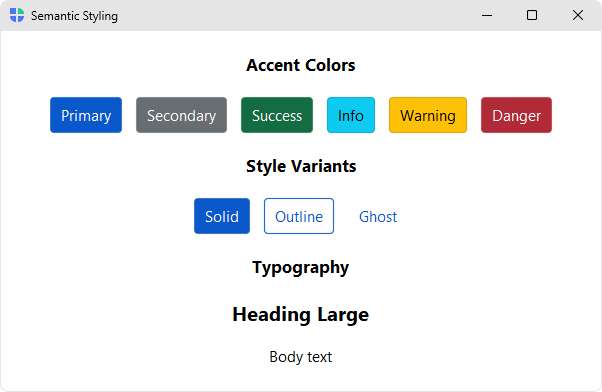
Widgets take an accent (color intent) and variant (visual weight) instead of hard-coded colors, so the same code looks right across themes and light/dark modes:
bs.Button("Save", accent="primary")
bs.Button("Cancel", accent="secondary", variant="outline")
bs.Label("Heading", font="heading-lg")
Plain callbacks work fine for most things. When state needs to flow between widgets, signals give you a small reactive primitive with two-way binding:
with bs.App(title="Hello") as app:
    name = bs.Signal("World")
    bs.Label(textsignal=name)      # updates automatically when name changes
    bs.TextField(textsignal=name)  # two-way binding to the same state

app.run()- Application scaffolding —
Appfor blank windows,AppShellfor toolbar + sidebar + page-stack apps,Workbenchfor two-tier workspace apps,Splashfor a startup intro screen, undecorated windows with custom chrome - 60+ themed widgets — primitives plus higher-level composites (DataTable, Tree, ListView, Calendar, DateField, Form, Gauge, ToggleGroup, PageStack, Carousel, Tooltip, and more)
- Dialogs and messages —
alert()/confirm()/ask_*()prompts andFormDialog/FontDialog/FilterDialog, plus non-blockingtoast(),Notification, andSnackbarsurfaces - Layout containers —
Column,Row,Grid, andSpacerfor declarative layouts;Card,GroupBox,ScrollView,SplitView,Accordion,Divider - Design system — semantic
accentcolors (primary, secondary, success, danger, warning, info) andvarianttokens (solid, outline, ghost), consistent across widgets - Built-in themes — 10 paired light/dark variants (bootstrap, catppuccin, dracula, everforest, gruvbox, nord, one, pydata, solarized, tokyo-night) with runtime theme switching and a custom-theme API
- Reactive signals — observable state with subscribe/set, integrates with widgets via
signal=/textsignal= - Forms & validation —
Formwith built-in field-level validators and inline error messages - DataSource — common interface over in-memory, SQLite, and file backends, with pagination, filtering, sorting, CRUD, and CSV/TSV/Excel export
- Data visualization —
Chartembedsmatplotlib/seabornfigures that theme themselves and live-update from aSignalorDataSource; managed render, blitting animation, and a themed navigation toolbar (optionalviz/viz-seabornextras) - Localization (i18n) — 23 bundled message catalogs, locale-aware number/date/time formatting via Babel, runtime language switching
- Icons & images — Bootstrap Icons catalog with theme-aware recoloring and caching
- Platform support — DPI awareness, multi-monitor centering, mica/acrylic effects on Windows
- CLI (
bootstack) — project scaffolding, run, add components, theme/i18n setup, doctor, build/package
| Category | Widgets |
|---|---|
| Actions | Button, ButtonGroup, MenuButton, ContextMenu, Toolbar, ThemeToggle |
| Inputs | TextField, PasswordField, PathField, NumberField, SpinnerField, Slider, RangeSlider, TextArea, CodeEditor, DateField, TimeField |
| Selection | Checkbox, Switch, ToggleButton, Radio, RadioGroup, ToggleGroup, Select, SelectButton, Calendar |
| Data Display | Label, Badge, ListView, Tree, DataTable, ProgressBar, Gauge |
| Media | Avatar, Picture, Gallery, Carousel |
| Layout | Column, Row, Grid, Spacer, Card, GroupBox, SplitView, ScrollView, Accordion, Divider |
| Navigation | AppShell, Workbench, Window, Splash, StatusBar, Tabs, PageStack |
| Dialogs | alert(), confirm(), ask_*() prompts, FormDialog, FontDialog, FilterDialog |
| Overlays | toast(), Notification, Snackbar, Tooltip |
| Forms | Form, with field-level validation |
bootstack ships with an optional CLI for scaffolding, running, and packaging applications:
bootstack gallery                           # Launch the interactive widget gallery
bootstack icons                             # Browse the built-in icon catalog
bootstack appicon                           # Design an app icon and export it
bootstack start MyApp                       # Create a new project (basic template)
bootstack start MyApp --template appshell   # ...or with sidebar navigation
bootstack run                               # Run the app defined in the project config
bootstack dev app.py                        # Run with hot reload (live edit-and-save)
bootstack add page Dashboard                # Add a new page (appshell)
bootstack add view Settings                 # Add a new view (basic)
bootstack add dialog Preferences            # Add a new dialog
bootstack doctor                            # Diagnose project & environment
bootstack promote                           # Make the project packaging-ready
bootstack build # Package for distributionFull documentation — guides, the widget catalog, and the API reference — lives at bootstack.org.
Contributions are welcome — code, bug reports, and especially translations. See CONTRIBUTING.md for development setup, the pull-request workflow, and how to review the bundled language catalogs.