



Nginx with SSL / HSTS and HTTP2 module.
Without any custom site configuration, Nginx starts with no default virtual host. Mount a server configuration into /etc/nginx/sites.d to listen on ports 80/443.
docker run \
    -p 80:80 \
    -p 443:443 \
    -v /path/to/site:/etc/nginx/sites.d/site \
    --name nginx \
dockette/nginx:latestThere are 2 main files:
Diffie-Hellman files:
Modules:
- nginx-module-xslt
- nginx-module-geoip
- nginx-module-image-filter
- nginx-module-njs
There are many files in /etc/nginx/conf.d.
These files are loaded manully in the main http section. You can extend only part of these files which you need.
Please do not place your custom configurations to this folder. There is a folder /etc/nginx/user.conf.d for this reason.
Take a look at nginx.conf.
Sites are loaded from folder /etc/nginx/sites.d.
The image ships an empty /etc/nginx/sites.d folder. Example site configurations are available in .examples/sites.d, including a 444 default_server, but they are not installed automatically.
For little fragments shared accross sites you can use folder /etc/nginx/site.conf.d.
Your custom global http section configuration, /etc/nginx/user.conf.d. These files are loaded automatic from http section.
Take a look at nginx.conf.
By default nginx uses 2048 bits dhparam cypher. There is also 4096 bits pregenerated file.
This approach is for developing, for your stagging / production, please generate your own dhparam.
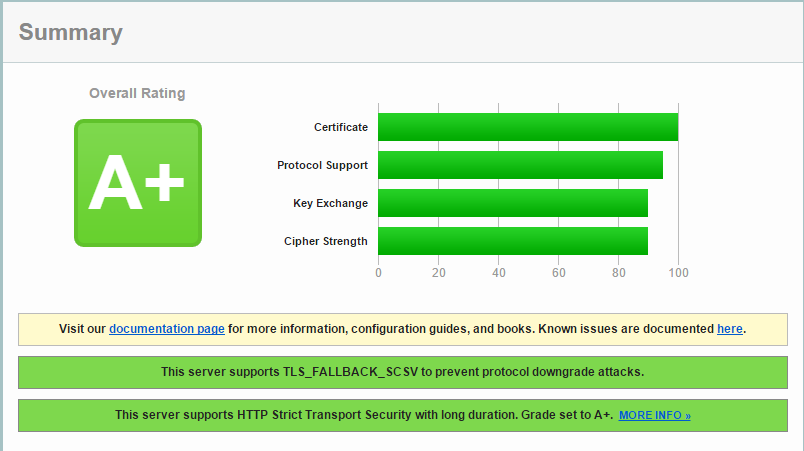
You should have A+ on SSL Server Test.
See how to contribute to this package. Consider to support f3l1x. Thank you for using this package.